Bramble runs on Google TV and Android TV (Android 11 or newer), on Fire TV (Fire OS 6 or newer), and on a Windows 10 or 11 computer connected to your TV. Every TV and computer you link shows the same list.
You’ll need the streaming apps your family already uses. On a Fire TV or Google TV, install them on the TV and sign in. On Windows, you sign in to each one once, inside Bramble.
Google TV and Android TV
For Google TV and Android TV devices running Android 11 or newer. If Google Play doesn’t offer Bramble on your device, it can’t run it. On the TV, open the Google Play Store, search for Bramble and install it. Open it, then start your free trial on the TV, or link it to the account you already have by scanning the code with your phone.
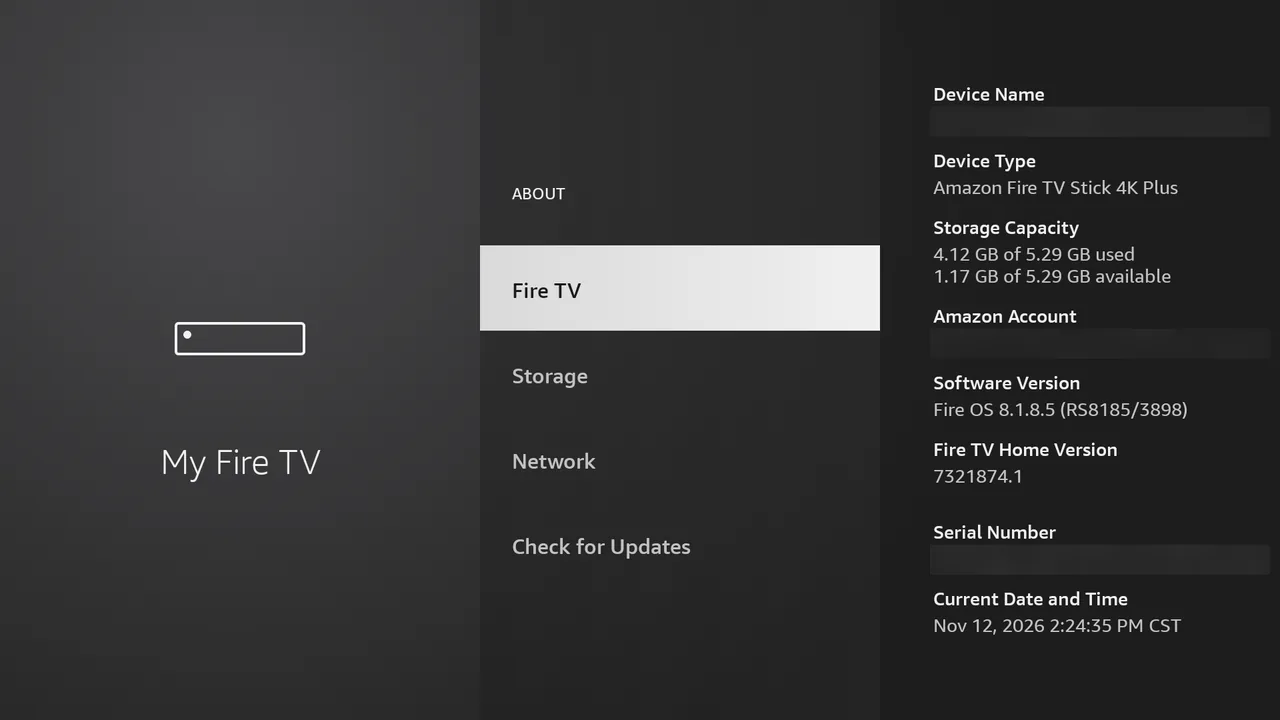
Check your Fire TV first. On the Fire TV, go to Settings → My Fire TV → About. On a TV with Fire TV built in, it’s Settings → Device & Software → About. It works only if About says “Fire OS” followed by 6 or higher. Anything else, including a plain “OS” number, can’t run Bramble.
Bramble needs Fire OS 6 or newer. For example, Amazon lists these Fire TVs on Fire OS 6, 7 or 8: the Fire TV Stick 4K (1st Gen, 2018, and 2nd Gen, 2023), the Fire TV Stick 4K Max (1st Gen, 2021, and 2nd Gen, 2023), the Fire TV Stick 4K Plus (2025), the Fire TV Stick (3rd Gen), the Fire TV Stick Lite, the Fire TV Stick HD (2024), the Fire TV Cube (1st, 2nd and 3rd Gen), Amazon’s Fire TV 2-Series, 4-Series, Omni and Omni QLED TVs, and the TVs with Fire TV built in that it lists from 2018 on.
These can’t run it, because they’re on Fire OS 5: the first Fire TV boxes (1st Gen, 2014, and 2nd Gen, 2015), the Fire TV Stick (1st Gen, 2014, and 2nd Gen, 2016), the Fire TV Stick Basic Edition (2017) and the Element 4K TV (2017). These can’t either, because they run Vega OS, which can’t install apps from outside Amazon’s store: the Fire TV Stick 4K Select, the Fire TV Stick HD (2026) and the Fire TV Stick 4K (3rd Gen, 2026).
Model lists from Amazon’s Fire TV device specifications for developers (checked November 23, 2026). We’ve tested Bramble on a Fire TV Stick 4K Plus (Fire OS 8) and a Fire TV Stick 4K, 1st Gen (Fire OS 6); the others are listed by the Fire OS version Amazon gives them. What your own About screen says is what counts.
If your Fire TV can’t run it: Sorry about that. Older Fire TVs can’t install Bramble, and Amazon’s newest sticks run Vega OS, which doesn’t install apps from outside Amazon’s store. If you can connect a Windows 10 or 11 computer to your TV, Bramble runs there today (see Windows, below). It’s also on Google TV (see above).
Why isn’t it in Amazon’s Appstore? Amazon’s store doesn’t allow apps that open a show inside another streaming app, which is exactly what Bramble does. So you install it from our website instead, with a free app called Downloader.
Install Bramble on your Fire TV
Install Downloader. On your Fire TV, select the magnifying glass at the top of the home screen, type Downloader, and choose Downloader. It’s free, made by AFTVnews. Select Get (or Download). When it finishes, Downloader may open by itself; if it does, press Home on your remote for now. You’ll come back to it in step 3.
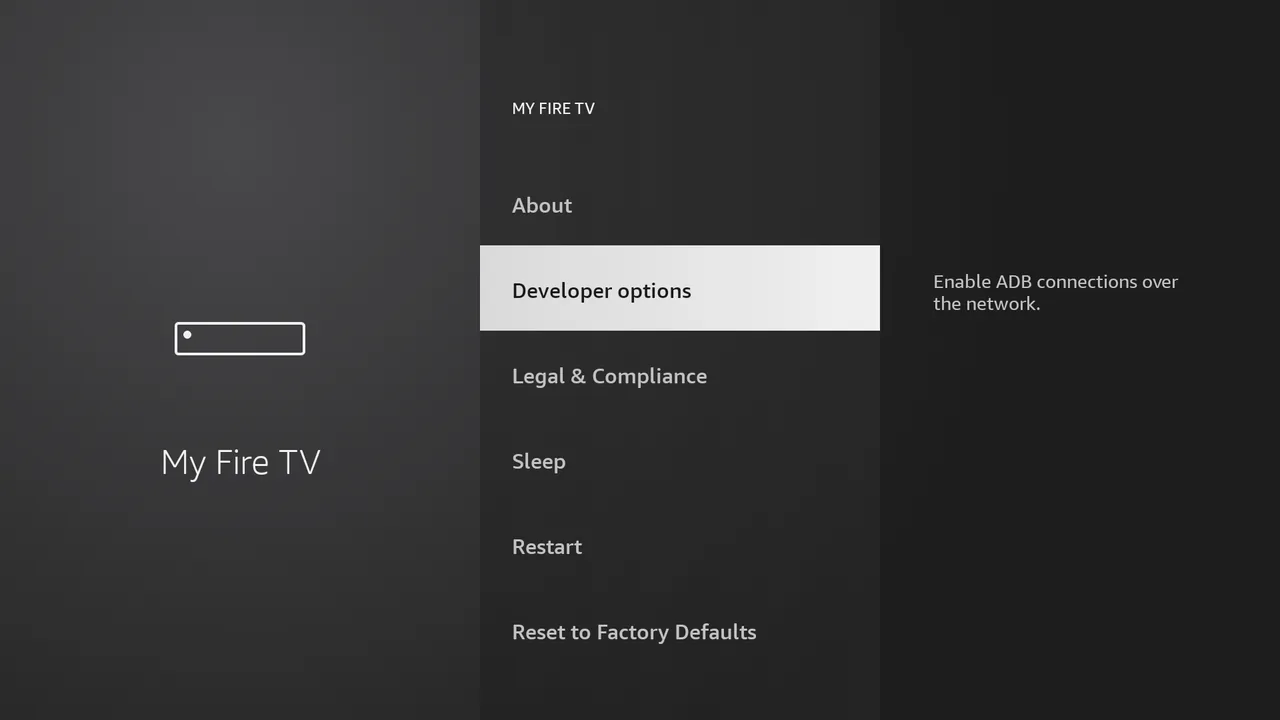
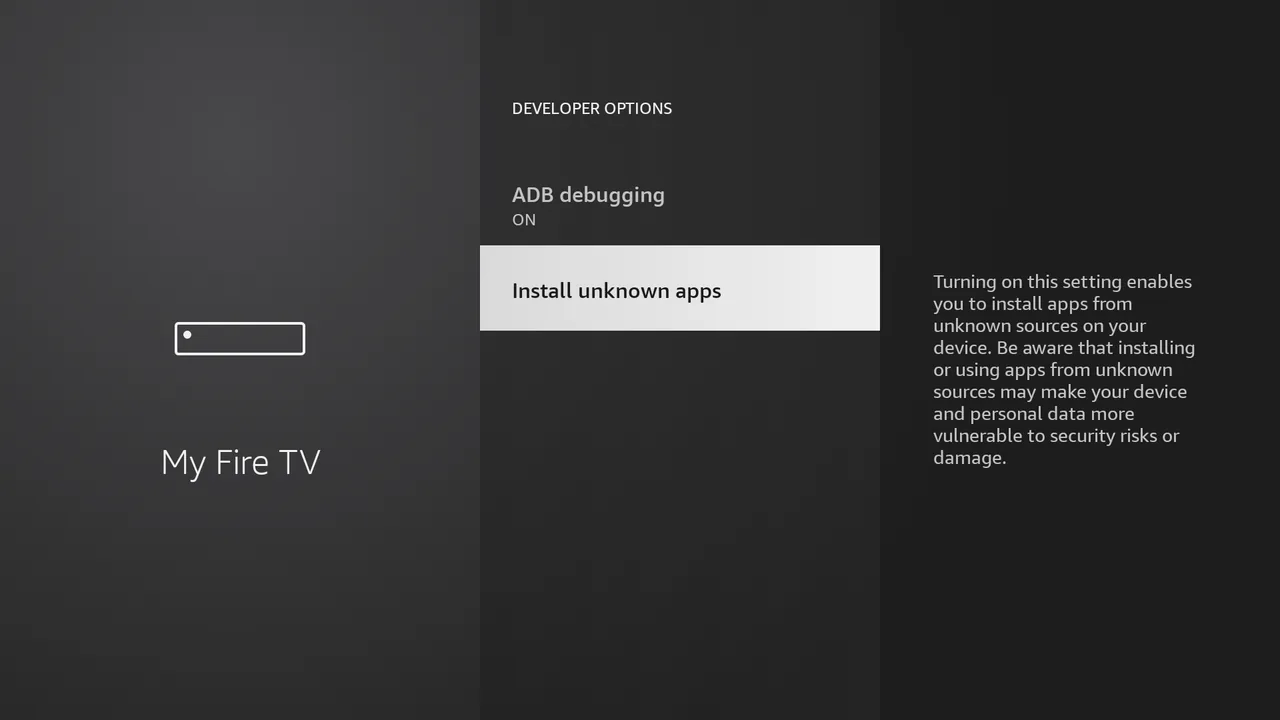
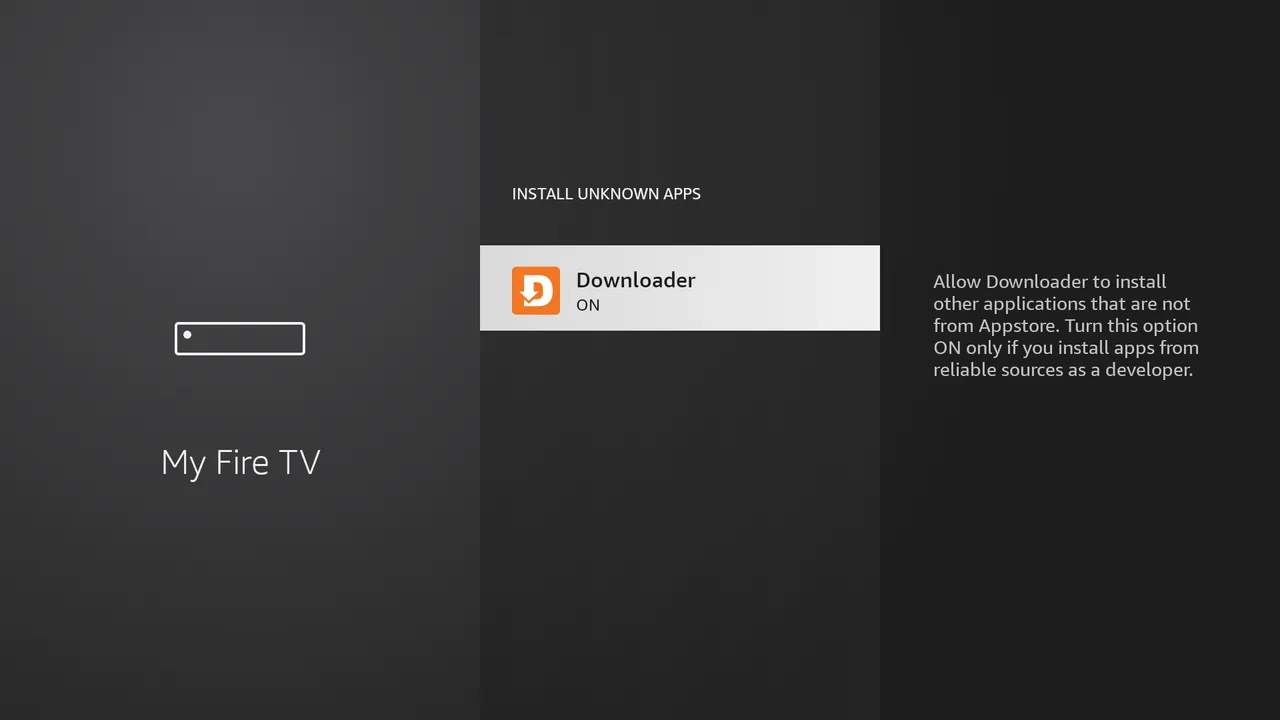
Let Downloader install apps. Go to Settings → My Fire TV → Developer options → Install unknown apps, choose Downloader, and turn it ON. If My Fire TV has no Developer options, go to About, highlight the first line (your Fire TV’s name) and press the center button on your remote 7 times, then go back. These pictures are from a Fire TV where it’s already turned on; on yours, Downloader says OFF until you select it. On Fire OS 6 there’s no list of apps: Developer options has one switch, Apps from Unknown Sources; turn it ON.
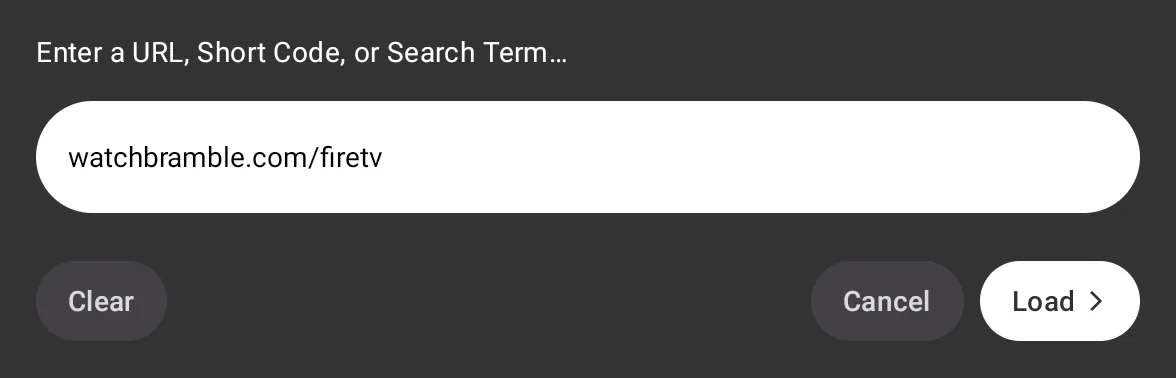
Get Bramble. Open Downloader; it’s with your apps. Select the box at the top that says “Click here to enter a URL, Short Code, or Search Term”. Type watchbramble.com/firetv, and select Load.
Install it. Bramble downloads in a few seconds, and Fire TV asks “Do you want to install this application?” Cancel is highlighted first, so press right on your remote to Install and select it. When it says “App installed”, select Open.Later, when you go back to Downloader, it offers to Install or Delete the file. You can delete it; Bramble stays installed.
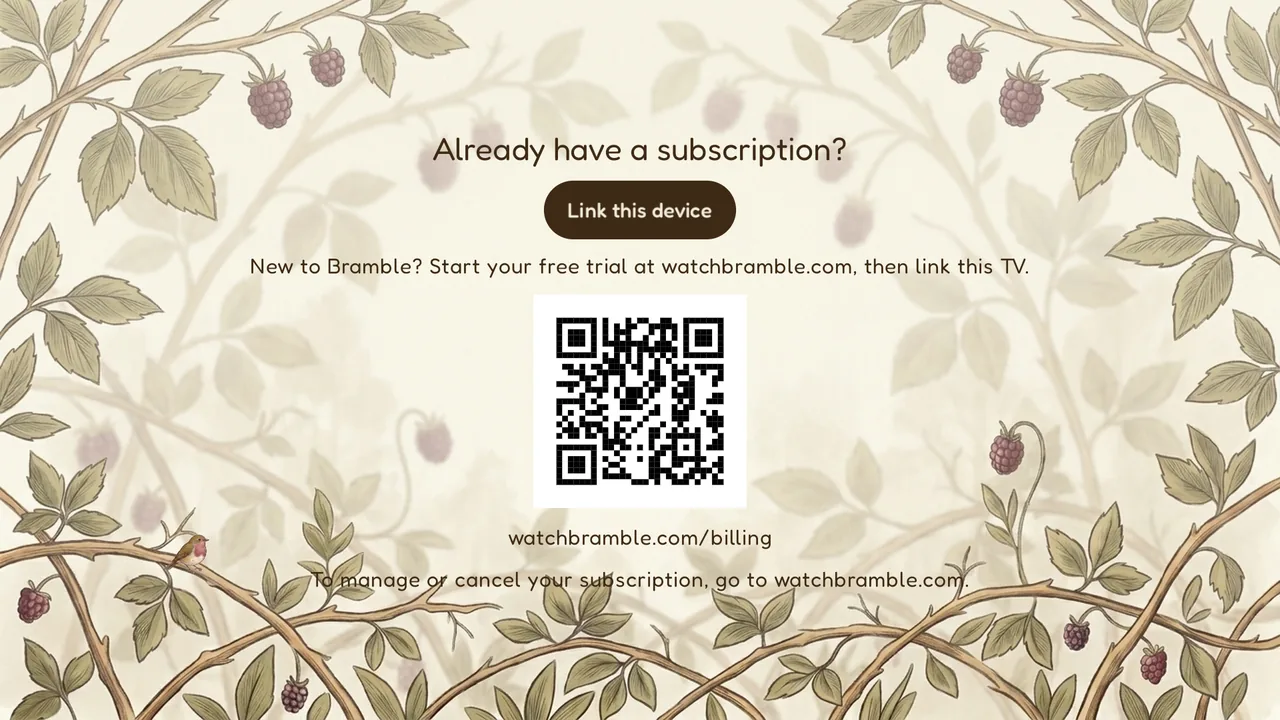
Link it. In Bramble, choose Link this device. On your phone, scan the code on the TV, or go to watchbramble.com/claim and type the code. (The TV says watchbramble.com; either works.) Sign in, and your family’s list arrives on the TV. Then create a PIN on the TV; it keeps Bramble’s Settings with you.
New to Bramble? Start your free trial at watchbramble.com first.
If you linked the TV first: the TV shows a QR code to start your free trial on the website. Do that, then select Try again on the TV.
If something goes wrong
Fire TV says the app can’t be installed (“App not installed”, or “There was a problem parsing the package”). This Fire TV is probably on Fire OS 5. Check About: it has to say “Fire OS” followed by 6 or higher.
Downloader can’t find the address. Check the spelling: watchbramble.com/firetv, with no spaces.
The code expired while you were signing in. If the code on your TV expires while you sign in, your TV already shows a new one. Enter that one.
Bramble shows an update screen. Bramble checks for new versions itself, and you install them from Bramble’s Settings (it asks for your PIN). If a version is too old to keep working, Bramble shows a full screen asking for the update first. Fire TV asks you to confirm, and the first time, asks you to let Bramble install apps, like step 2.
After an update, you’re back on the Fire TV home screen. That’s normal on Fire TV. Open Bramble again from your apps.
Can’t find Bramble on the Fire TV? On the home screen, go to the end of the “Your apps and channels” row: a newly installed app goes last. Look for the Bramble name on a cream square.
Windows 10 or 11 (64-bit), on a computer connected to your TV
Bramble shows the same grid on a computer. Press a show and it plays in a Bramble window on the service’s own website, so you sign in to each service once, in Bramble’s Settings.
Bramble’s Windows installer isn’t code-signed yet, so your browser will warn you the first time, and Windows may too. The download page shows each screen and what to press.
There’s no Mac version. Windows on ARM computers hasn’t been tested.
New to Bramble? Start your free trial at watchbramble.com first. Then Bramble shows a code. Go to watchbramble.com/claim on your phone or the computer, type the code and sign in, and your family’s list appears.
Bramble isn’t affiliated with Disney+, Netflix, Paramount+, Apple TV, PBS Kids, Prime Video or Hulu.